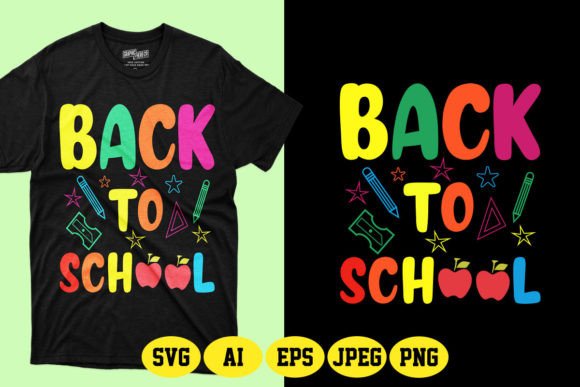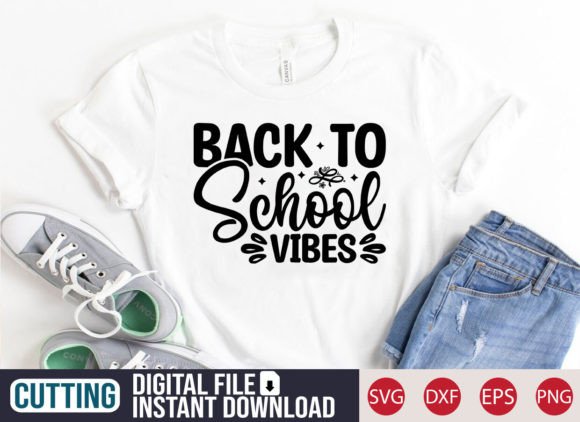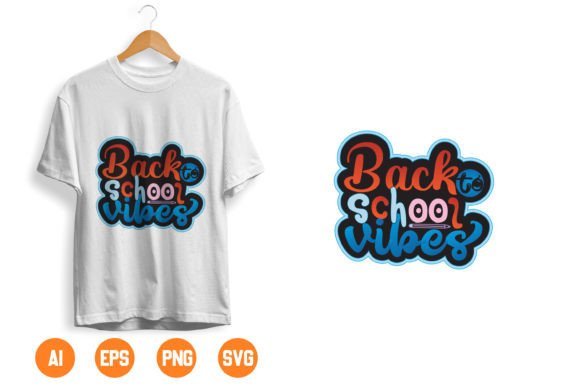
Back to School T Shirt Design-19: A Versatile, Production-Ready Asset for Modern Creators
Back to School T Shirt Design-19 isn’t just another seasonal graphic—it’s a thoughtfully built digital asset designed for flexibility, speed, and real-world usability. At its core, it’s a clean, welcoming visual motif centered around the phrase “Back to school vibes Welcome,” rendered with balanced typography, subtle stylization, and intentional negative space. What sets it apart is not just its aesthetic appeal but its technical readiness: delivered in six industry-standard formats (AI, EPS, SVG, PNG, JPEG, and layered mockup), it bridges the gap between creative vision and physical output—whether you’re printing on cotton tees, embroidering hoodies, laser-cutting vinyl for stickers, or applying iron-on transfers to tote bags.
Why This Design Fits Today’s Creative and Commercial Realities
Over the past three years, demand for adaptable back-to-school assets has shifted—not just in volume, but in expectation. Educators now design classroom welcome kits; small-batch apparel brands launch limited-edition capsule collections in early July; homeschool co-ops and tutoring centers create branded swag to build community identity; and freelance designers source editable files for client projects spanning apparel, stationery, and digital announcements. Back to School T Shirt Design-19 meets that demand precisely because it’s built for iteration, not static use. Its 100% vector-based construction means no pixelation at any scale—from a 2-inch sticker on a pencil case to a 36-inch banner in a school hallway. And with every element as a separate, color-editable shape, swapping palette tones to match a school’s brand colors or seasonal mood (e.g., warm terracotta for fall, crisp navy for academic year consistency) takes seconds—not hours.
From Print Shops to Home Studios: Where This File Actually Gets Used
The versatility of Back to School T Shirt Design-19 shines across diverse workflows. Consider these realistic applications:
- Small business owners use the SVG and EPS files with Cricut or Silhouette machines to cut heat-transfer vinyl for custom hoodies sold at local PTA fairs—or adapt the AI file in Adobe Illustrator to add a school mascot alongside the “Welcome” text for a district-wide staff appreciation bundle.
- Educators and administrators pull the high-res PNG into Canva to layer over printable welcome posters, class schedules, or digital newsletters—keeping tone consistent without needing design expertise.
- Print-on-demand creators drop the mockup file directly into platforms like Printful or Gooten to preview how the design looks on different garment styles (crewnecks, raglans, unisex tees) before launching a storefront—reducing guesswork and returns.
- Hobbyists and makers apply the JPEG version to sublimation mugs or ceramic tiles using home presses, while relying on the SVG for precise cut lines when crafting iron-on patches for backpacks or notebooks.
This breadth isn’t accidental. It reflects how digital design assets are no longer siloed by medium—they’re expected to travel fluidly across surfaces, tools, and skill levels. Back to School T Shirt Design-19 was engineered with that expectation in mind.
How Format Choice Impacts Real Workflows
Not all file types serve the same purpose—and knowing which to reach for saves time and avoids rework. Here’s how each format functions in practice:
- AI and EPS: Best for professional designers who need full editability—layer control, path manipulation, and CMYK support for commercial printing. Ideal if you're integrating the design into a larger branding suite or preparing for screen-printing separations.
- SVG: The go-to for crafters using cutting machines, web developers embedding scalable graphics, or educators building interactive digital welcome boards. Lightweight, responsive, and universally supported by modern design software.
- PNG: Delivers transparency and crisp edges—perfect for overlaying onto photos, social media banners, or printable PDFs where background blending matters. Works reliably in free tools like Google Slides or Microsoft PowerPoint.
- JPEG: A universal fallback for quick sharing, email attachments, or basic photo editors. Use it when resolution isn’t critical—like previewing on a phone or adding to a vendor’s online upload portal.
- Mockup: Not just a visual aid—it’s a production shortcut. The layered PSD or smart-object mockup lets you preview color variations, fabric textures, and fit options *before* ordering samples or committing to bulk print runs.
That level of format coverage removes friction. You’re not hunting for conversion tools or troubleshooting raster distortion—you’re executing.
Design Evolution: From Generic Clip Art to Purpose-Built Assets
Five years ago, many “back to school” downloads were low-res PNGs with embedded backgrounds, locked layers, or watermarked previews. Today’s users—especially professionals and micro-businesses—expect more: true vector fidelity, ethical licensing clarity, and cross-platform compatibility. Back to School T Shirt Design-19 reflects that evolution. It doesn’t try to be everything to everyone; instead, it focuses on doing a few things exceptionally well—resizability, recoloring ease, and multi-surface readiness. That focus aligns with broader shifts in creative tooling: more intuitive vector editors (like Affinity Designer), wider adoption of cloud-based collaboration (Figma, Canva), and growing comfort among non-designers using drag-and-drop interfaces. The result? A design that empowers, rather than confines.
Practical Tips for Getting the Most Out of This File
You don’t need advanced software to benefit from Back to School T Shirt Design-19—but a few mindful practices help maximize value:
- Start with the vector format that matches your toolset. If you use Cricut Design Space, begin with SVG. If you’re in Illustrator or InDesign, open the AI file first. Don’t default to JPEG unless you truly only need a quick visual reference.
- Test color changes early. The design’s layered structure makes hue swaps simple—try adjusting just the text fill or border stroke to see how it reads against light vs. dark garments. A warm mustard on navy reads differently than sage on cream.
- Leverage the mockup for client approvals. Before sending a final proof to a printer, show stakeholders how the design looks on actual hoodie or mug templates—not just flat art. It builds confidence and reduces revision cycles.
- Repurpose intelligently. That same SVG used for a t-shirt transfer can become a die-cut sticker for student planners—or scaled down as a watermark on digital handouts. One asset, multiple touchpoints.
None of this requires extra budget, plugins, or training. It’s about working with the file’s inherent strengths—not against them.
A Resource Built for People Who Make Things Happen
Back to School T Shirt Design-19 serves a quiet but essential role: it removes one logistical hurdle so creators, educators, and entrepreneurs can focus on what matters most—their message, their community, their next launch. Whether you’re preparing for the first day of classes, building inventory for an online shop, or supporting a local after-school program, this isn’t just a design. It’s a ready-to-deploy component in your creative infrastructure—tested, flexible, and built to last beyond a single season.