Back to School Wrinkle Outline Icon
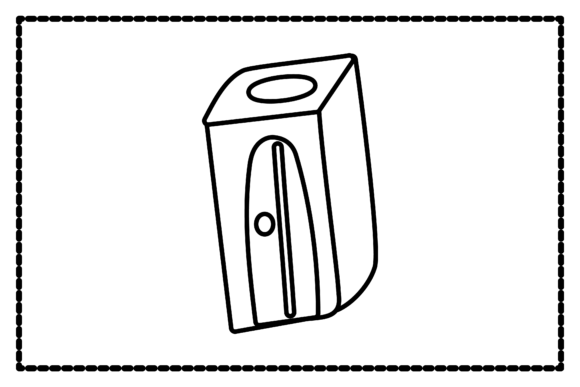
There’s something quietly powerful about a well-designed outline icon—especially one that captures the energy, transition, and intention of a new academic year. The Back to School Wrinkle Outline Icon isn’t just decorative. It’s a versatile, scalable visual anchor built for clarity and creative flexibility. Its “wrinkle” detail adds subtle texture and dimension—hinting at folded paper, chalkboard lines, or even the gentle crease of a student’s notebook cover—without sacrificing clean readability.
This isn’t a generic clipart-style graphic. It’s crafted with purpose: minimal yet expressive, structured yet approachable. That balance makes it useful far beyond seasonal banners or classroom posters. Whether you’re designing a back-to-school newsletter for parents, launching an educator-focused course, or building a printable planner for teens, this icon grounds your message in shared experience—without saying a word.
Why Format Variety Matters (More Than You Think)
You’ll receive six ready-to-use files—AI, EPS, SVG, DXF, JPG, and PNG—all on a consistent 1920px × 1280px canvas. That uniformity saves time: no resizing guesswork when switching between platforms or workflows. But more importantly, each format serves a distinct role:
- AI & EPS: Edit paths, adjust stroke weight, recolor, or scale infinitely—ideal for designers prepping print materials like handouts, lesson cards, or school-branded merchandise.
- SVG: Embed directly into websites or LMS dashboards (like Canvas or Google Classroom) with crisp rendering at any screen size—and full CSS control over color or animation.
- DXF: Cut or engrave the icon cleanly on vinyl, wood, or acrylic using laser cutters or CNC machines—perfect for DIY classroom signs, teacher appreciation gifts, or maker-space projects.
- JPG & PNG: Drop into social posts, email headers, or presentation slides instantly. Use the transparent PNG for layered designs; the JPG for fast-loading web use where background consistency matters.
No need to convert, trace, or re-rasterize. What you get is production-ready—designed to move seamlessly from concept to output.
Creative Uses Across Real-World Contexts
Different users find different value in the same icon. Here’s how it translates across roles and goals:
Educators & Curriculum Designers
Use the wrinkle outline as a visual cue for “reflection prompts” or “student-led goal setting.” Layer it beside editable text boxes in digital worksheets (Google Slides or Canva), or print it onto self-stick labels for interactive bulletin boards. Because it’s outlined—not filled—it stays legible even when photocopied or projected in low-light classrooms.
Small Business Owners & Creators
If you sell printable planners, teacher toolkits, or homeschool bundles, this icon becomes part of your brand’s visual vocabulary. Pair it with consistent typography and a limited palette to build recognition across product listings, Etsy thumbnails, and Instagram carousels. Its outline style ensures it won’t compete visually with dense layouts—just quietly reinforce your theme.
Bloggers & Content Marketers
Turn the icon into a recurring visual motif for your “Back to School Prep” series. Animate it subtly in a video intro (using the SVG), feature it as a section divider in long-form guides, or adapt its wrinkle line into custom dividers for email newsletters. Consistency here builds familiarity—not repetition.
Hobbyists & DIY Enthusiasts
The DXF file opens doors beyond screen-based work. Try cutting the icon from balsa wood for a lightweight desk organizer, etching it onto a ceramic mug for a teacher gift, or layering it in Cricut Design Space to create a layered paper banner for a study nook. Its clean edges and moderate detail hold up beautifully—even at 2-inch sizes.
Styling It Thoughtfully (Without Overcomplicating)
You don’t need advanced design skills to make this icon work. Start simple:
- Color first, then contrast. Choose one primary color that aligns with your brand or audience (e.g., deep navy for professionalism, warm terracotta for approachability). Then ensure it stands out clearly against its background—test it on both light and dark modes if used digitally.
- Respect the outline. Since it’s not filled, avoid stacking too many competing elements around it. Give it breathing room—especially in print layouts or mobile interfaces where clutter reduces impact.
- Vary scale with intent. A large version (600px wide) works for hero banners or wall decals. A small version (48px) functions well as a favicon or inline icon in blog posts. The vector formats let you shift freely between those without quality loss.
And remember: originality doesn’t require reinvention. Subtle tweaks—adding a single handwritten font label, pairing it with a real photo of open notebooks, or animating just the wrinkle line on hover—can personalize it meaningfully without diluting its clarity.
A Tool That Grows With Your Needs
This isn’t a one-season asset. While “back to school” anchors its timing, the icon’s structure supports broader themes: transition, preparation, learning, growth, routine. Repurpose it for “new semester,” “study reset,” or even “career development workshops”—just adjust supporting text and context. Its neutral tone and clean execution keep it adaptable, not dated.
For freelancers managing multiple clients, having a reliable, licensable icon like the Back to School Wrinkle Outline Icon means less time sourcing assets and more time focusing on what matters—crafting clear messages, solving real problems, and delivering work that feels intentional.
It’s also a reminder that good design isn’t about complexity. It’s about reducing noise so the idea shines through. In a world saturated with visuals, sometimes the most effective choice is a thoughtful outline—simple, scalable, and quietly confident.